N64brew · Pandemonium

Texturing for the N64

How texture formats, vertex colors, and the color combiner shape Pandemonium’s boss room.

Press → or Space to begin
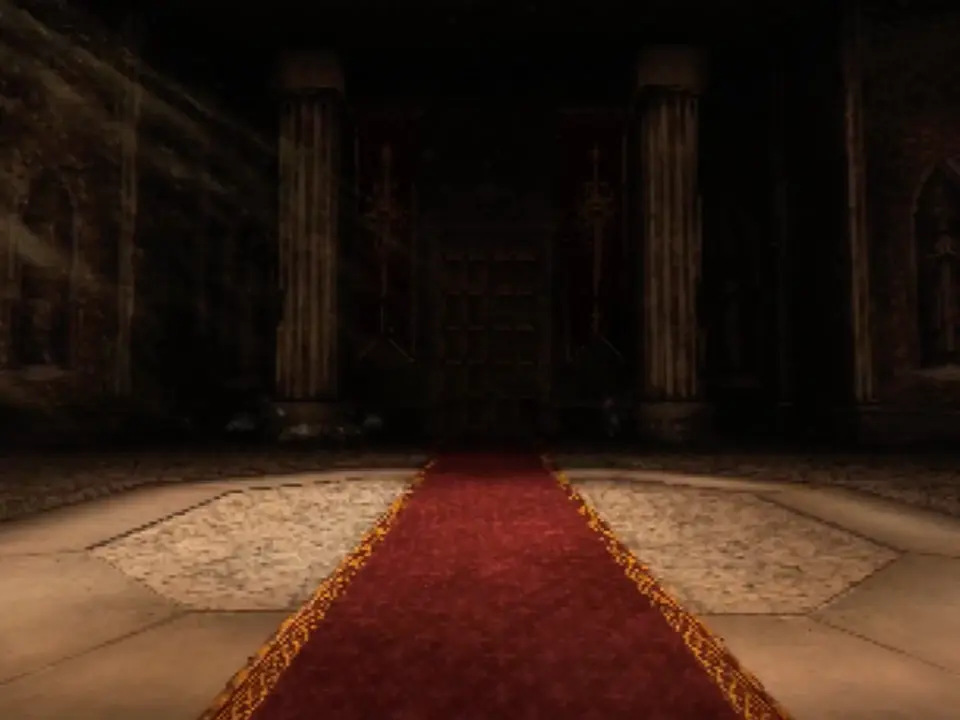
Pandemonium’s boss room: a red carpet leads past textured columns to the door

The jam

Built fast. Optimized… later.

  • Texture sizes and formats never checked
  • Lots of overdraw
  • Z-fighting on the floor
  • Assets that missed the final build

Coming back gave us time to improve the art, and to ask what each surface actually needed.

Before → after

The same room, revisited
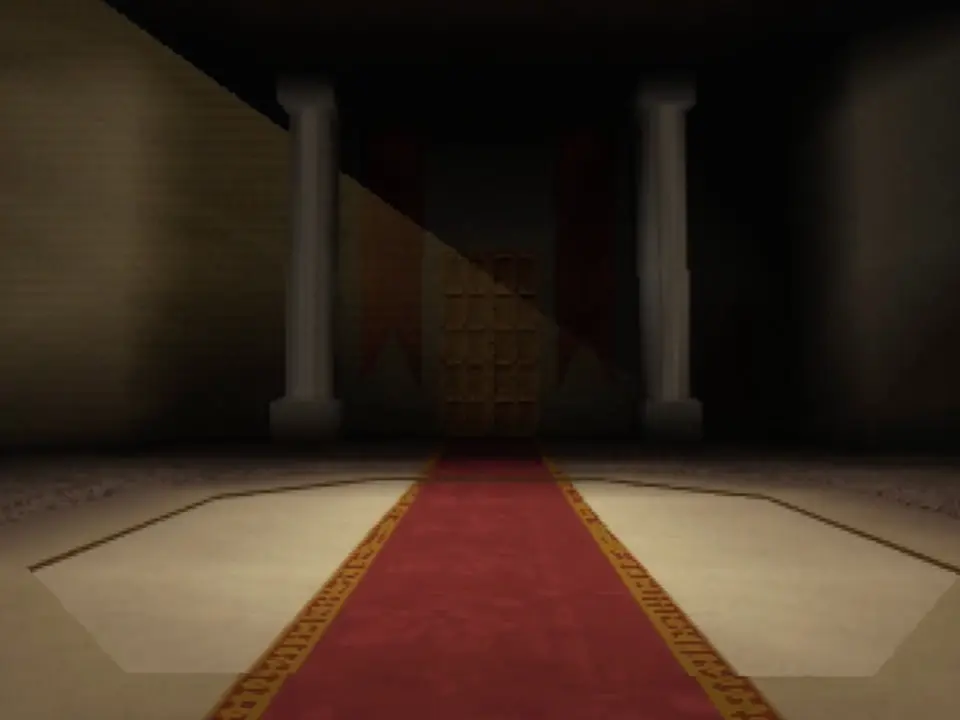
Room view
After: a more detailed carpet border and patterned stone floor leading toward the door, framed by textured columns.Before: a red carpet with a simple border between pale floor panels, facing the boss-room door.

Vocabulary

A texel is one pixel in a texture

64 × 64 = 4,096 texels

The updated 64 by 64 stone floor texture, enlarged so each texel is visible

The budget

The RDP samples from just 4kb of TMEM

Working memory

Space for the textures being used while drawing. Not a limit on all the artwork in a game.

Only what’s loaded

The RDP can only sample texels already loaded into TMEM.

Too big?

Draw it in smaller sections, loading new texture data between draws.

Try it

What fits in one load?

Format
Texture size
1
2
2 sections

64 × 64 RGBA16 = 8kb of texels.

Only 32 rows fit at once, so the texture is drawn in sections, loading new texels between draws.

Illustrative. Ignores row padding, mipmaps, and materials that load two textures at once.

Reading the name

What the letters mean
IIntensity
A grid of sixteen grayscale values progressing from black to white.

One brightness value per texel.

Color gradient, fine stripes, and alpha fade represented as I4
I4 · 64 × 642kb packed

Grayscale. Opacity follows brightness, so the bottom cannot fade independently.
IAIntensity + alpha
Grayscale rows with independently changing opacity, revealing a checkerboard behind transparent texels.

Brightness and alpha, stored separately.

Color gradient, fine stripes, and alpha fade represented as IA8
IA8 · 64 × 644kb packed

Grayscale, with a separate transparency fade along the bottom.
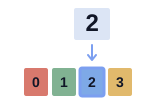
CIColor index
The stored index 2 points to the blue entry numbered 2 in a four-color example palette.

An index selects a palette color.

Color gradient, fine stripes, and alpha fade represented as CI4
CI4 · 64 × 642.03kb packed2kb texels + 32b palette

The gradient becomes blocks of palette colors. Alpha is on or off with this RGBA16 palette.
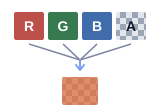
RGBADirect color
Red, green, blue, and alpha channels feed one colored texel with transparency.

Color and alpha stored directly.

Color gradient, fine stripes, and alpha fade represented as RGBA32
RGBA32 · 64 × 6416kb packed

The reference: smooth color, distinct magenta/green stripes, and a soft alpha fade.
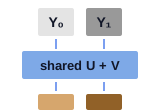
YUVBrightness + shared color
Two neighboring texels have separate Y brightness samples and share U and V color information.

Two brightness samples share U and V.

Color gradient, fine stripes, and alpha fade represented as YUV16
YUV16 · 64 × 648kb packed

The magenta/green stripes lose their color when paired. The bottom stays opaque.

Fewer bits, more texels

Every format is a trade

FormatBits / texelWhat it stores64 × 64
I4416 brightness levels2kb
I88256 brightness levels4kb
IA443 intensity bits + 1 alpha bit2kb
IA884 intensity bits + 4 alpha bits4kb
IA16168 intensity bits + 8 alpha bits8kb
CI44An index into a 16-color palette2kb
CI88An index into a 256-color palette4kb
RGBA16165 bits per RGB channel + 1 alpha bit8kb
RGBA32328 bits each for red, green, blue, and alpha16kb
YUV1616Brightness per texel, U and V shared by a pair. No alpha8kb

Which format would I use? · 1 of 4

Can the mesh supply the color?

Stone detail with sixteen intensity levels and a warm vertex tint.
I4 · 16 brightness levels2kb of texels
The same stone detail and tint with finer intensity precision.
I8 · 256 brightness levels4kb of texels

For a tinted stone floor, I’d start with I4. I8 costs twice as much at the same dimensions. Use it if the brightness steps in I4 spoil the shading. Both examples get the same tint from vertex color.

Which format would I use? · 2 of 4

Does the artwork need its own colors?

The detailed red and gold carpet border reduced to a sixteen-entry palette.
CI4 · 16 palette entries544b with palette
The same carpet border with a larger palette retaining finer color changes.
CI8 · 256 palette entries1.5kb with palette

One 16 × 64 tile, repeated across each preview.

The carpet’s pattern needs color in the texture. CI4 has 16 palette entries and CI8 has 256. If neither palette keeps the colors you need, try RGBA16, at 2b per texel.

Which format would I use? · 3 of 4

Does it need a hard edge or a soft fade?

A glow encoded as IA4 becomes a solid disc with a hard transparency edge.
IA4 · on/off alpha2kb of texels
The same glow encoded as IA8 fades gradually into the background.
IA8 · 16 alpha levels4kb of texels

IA4 works for a grayscale cutout such as a banner ornament. A glow needs the softer alpha of IA8. IA16 adds precision. For an effect with its own changing colors and smooth alpha, use RGBA32.

Which format would I use? · 4 of 4

How big is it on screen?

The stone texture at thirty-two by thirty-two texels, enlarged for close inspection.
32 × 32 · I4512b of texels
The same stone artwork at sixty-four by sixty-four texels, preserving finer detail.
64 × 64 · I42kb of texels
Both at 12 × 12 screen pixels:
32 × 32 source reduced to twelve by twelve screen pixels
32 × 32
64 × 64 source reduced to twelve by twelve screen pixels
64 × 64

Up close, the larger texel grid can help. On a tiny pickup, that detail may disappear. Choose dimensions for the view. A detailed mesh does not automatically need a large texture.

Special cases

A few special cases

The test pattern in YUV16: the fine stripes lose their color and the alpha fade becomes opaque
YUV16

For video frames or photographs. Keeps brightness per texel, shares color between neighbors, and has no alpha. Needs a dedicated conversion mode.

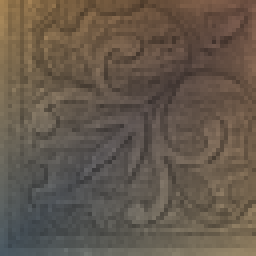
Carpet updated base, 16 × 64Carpet updated mip 1, 8 × 32Carpet updated mip 2, 4 × 16
Mipmaps

Smaller copies for surfaces that recede into the distance. They reduce shimmering, but add storage, so budget for the levels loaded together.

The test pattern as CI4 with an RGBA16 palette: color blocks and on/off alpha
Colored cutouts

RGBA16, or CI with an RGBA16 palette, gives on/off alpha with color.

Vertex colors

Let the mesh carry the color

surface RGB = texture intensity × interpolated vertex RGB

The original grayscale floor texture
TextureFine detail · 64 × 64 I8
Four corner colors blended smoothly across the quad
Vertex colorsBroad variation, blended
The grayscale floor tinted by the vertex colors
SurfaceColored floor, same texels

Try it

Texture × vertex colors

Texture holds the details. Vertices hold color.

Spend the bits on detail

Same 2kb. Four times the texels.

RGBA16 · 32 × 32Color baked into the texture1,024 texels · 2kb
I4 · 64 × 64 × vertex colorColor from four vertices4,096 texels · 2kb

Vertex colors don’t add texture pixels. Their gradients follow the mesh, and vertex data costs memory too.

The color combiner

One formula mixes every material

(A − B) × C + D

Run separately for RGB and alpha, once or twice per pixel.

Texture 0 / 1Sampled color and alpha
ShadeVertex color or lighting
PrimitiveA fixed material color
EnvironmentA second fixed color

Filling the slots

Three recipes

Texture only(0 − 0) × 0 + Texture 0Shade is ignored
Modulate(Texture 0 − 0) × Shade + 0The vertex-colored floor
Lerp(Texture 1 − Texture 0) × amount + Texture 00 gives Texture 0, 1 gives Texture 1

Try it

Build a material

Cycles
2Two-cycle mode
Textures
1I4 · 32 × 32
Vertex shade
UsedInterpolated vertex colors
Primitive
Color tint#FFFFFF
Output alpha
OpaqueForced to 1
Preview blending
OffOpaque surface

White primitive color leaves the first cycle’s result unchanged.

Multiply texture color by interpolated vertex shading. Force alpha to 1.

Cycle 1
RGB(Texture 0 − 0) × Shade + 0
Alpha(0 − 0) × 0 + 1

Tint the first result with primitive color. Keep its alpha.

Cycle 2
RGB(Combined − 0) × Primitive + 0
Alpha(0 − 0) × 0 + Combined
Texture 0 · I4
Texture 0 · I4
Shade · vertex colors
After cycle 1
After cycle 1
Final result
Final result
This preview does not emulate RDP fixed-point precision, filtering, or fog.

In code

The column material in libdragon

rdpq_mode_combiner(RDPQ_COMBINER2(
    (TEX0, 0, SHADE, 0),       (0, 0, 0, 1),
    (COMBINED, 0, PRIM, 0),   (0, 0, 0, COMBINED)
));
rdpq_set_prim_color(RGBA32(255, 255, 255, 255));
  1. Cycle 1 RGB Texture 0 × Shade
  2. Cycle 1 alpha Forced to 1
  3. Cycle 2 RGB Combined × Primitive
  4. Cycle 2 alpha Keep Combined

Fast64 stores these choices in the exported material. Changing the PNG alone can’t change the formula.

The bigger picture

The combiner is only part of the material

  1. ShadeVertex colors and lighting, blended across the triangle
  2. Texture samplesFrom TMEM, picked by the UVs
  3. Color combiner(A − B) × C + D, for RGB and alpha
  4. BlenderMixes with the framebuffer. Fog lives here, often borrowing shade alpha

Alpha testing can discard cutout pixels. Fog needs care alongside custom alpha formulas.

Putting it together

Textures, shade, and combiner on a real model
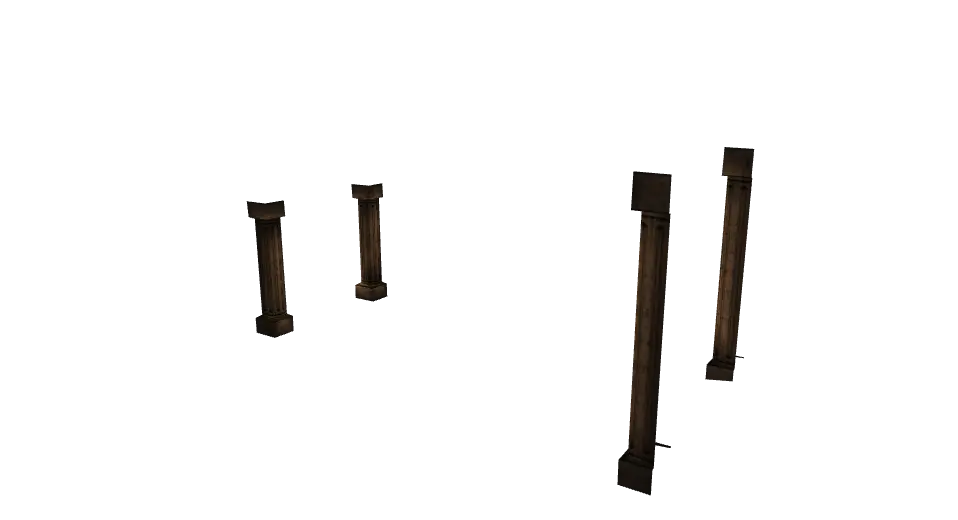
Explore the boss-room columns
Shaft
Shaft intensity texture used by the column model
32 × 128 · I84kb texels
Base
Base intensity texture used by the column model
32 × 32 · I4512b texels
Transition
Transition intensity texture used by the column model
32 × 124 · I41.94kb texels
Four textured boss-room columns, rendered from the game’s mesh with vertex colors
254 tris3 textures · 6.44kb texels

Left drag to orbit · right drag or WASD / arrow keys to pan · pinch, scroll, or + / − to zoom · R to reset

The revision

What changed in the room?

Original I8 stone floorUpdated I4 stone floor
Stone floor64 × 64 I8 → I44kb → 2kb
Original CI8 carpet borderUpdated CI8 carpet border
Carpet border16 × 64 CI8 in bothSame 1kb, plus mipmaps
I4 banner background layerIA4 banner ornament layer
Banner layersI4 background + IA4 ornamentBrightness and alpha, separate jobs

Try it

Try the formats yourself

What does each format keep?
Source artwork
Compare packed sizes · 64 × 64

Texels + a full RGBA16 palette for CI. Excludes headers, padding, mipmaps, and compression. PNG file sizes differ.

Source PNG · 64 × 64
Generated diagnostic pattern texture
CI4 · 4-bit index → 16-entry palette
Original texture. Enable JavaScript for the format comparison
Texel data2,048b
Full palette32b
Estimated packed size2,080b

Each texel selects one of sixteen palette entries. This example generates an RGBA16 palette from the selected artwork.

Conclusion

The floor saved 2kb. The room still grew.

Room assetsOriginalUpdated
Model files1012
Triangles1,3162,321
Material slots3272
Unique textures1851
Packed texels (est.)69kb131.56kb

Totals include room effects. Texel estimates exclude palettes, external mipmaps, padding, and headers.

Thanks!

Ship the jam. Then revisit.

Getting the game finished came first. Coming back let us choose formats on purpose, and bring the stonework and banners closer to how we wanted them.

Slide 1 / 26: Texturing for the N64